
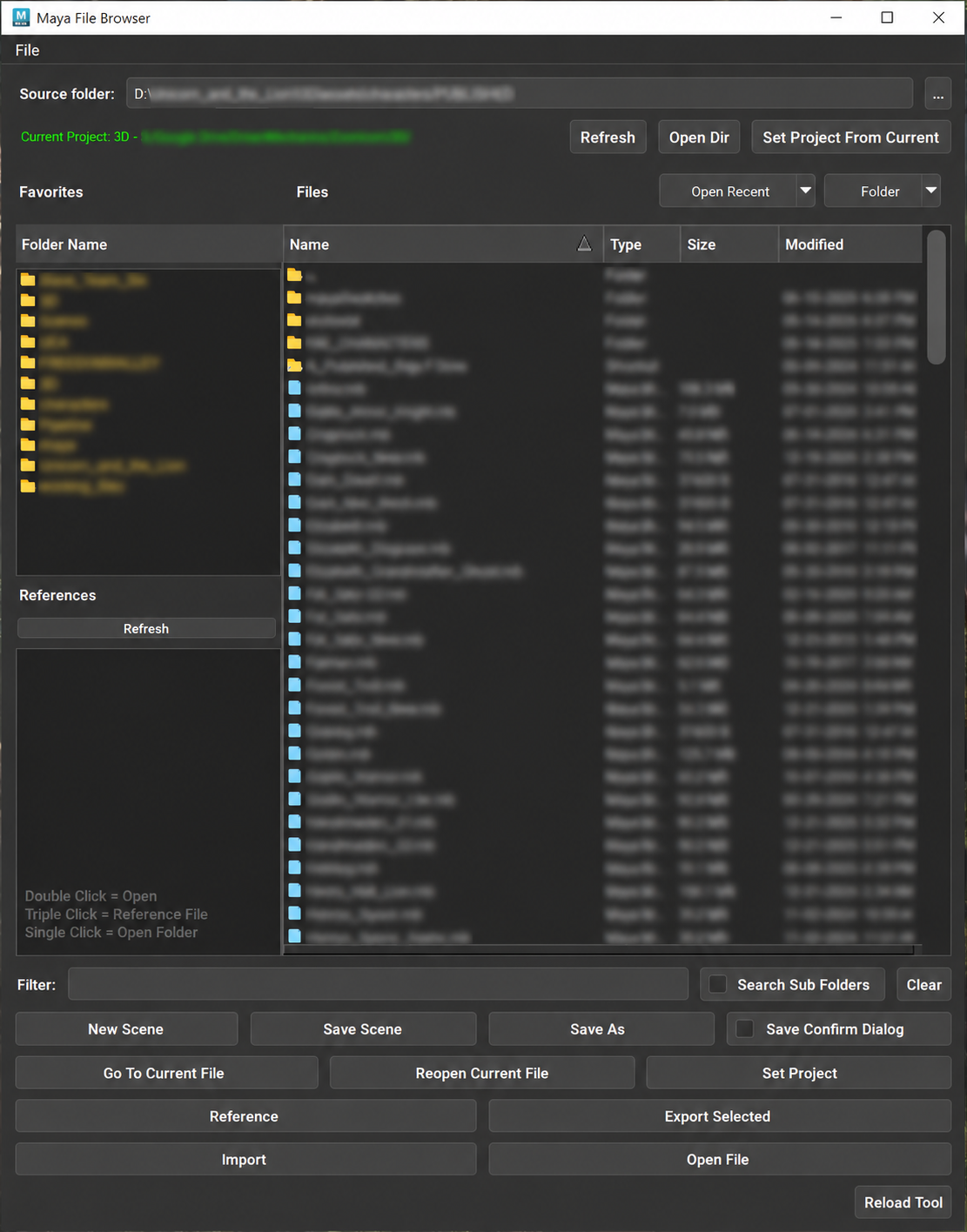
Click to enlarge
Your Maya files, one window away
Find, open, reference and import your scenes without leaving Maya or digging through Windows Explorer. Everything you do with scene files every day is in one panel.
Find files fast
Keep your most-used folders in Favorites, jump back with Open Recent, and sort files by name, type, size or date. Filter by name, search sub folders, and follow Windows shortcuts straight to their targets.
One-click scene actions
Double-click to open a scene, triple-click to reference it. New Scene, Save Scene, Save As (with an optional confirmation), Go To Current File and Reopen Current File are always one button away.
References, import and export
See the scene's references and reload, unload or remove them. Import Maya and FBX files, and export your selection as Maya ASCII or Maya Binary, choosing whether to include history, channels, expressions and constraints.
Projects and file management
Set your Maya project, or set it from the folder you're browsing, and open the project in Explorer. Rename, delete or back up files from the right-click menu, and pick your own button colors.
Works with Autodesk Maya versions built on PySide2 or PySide6.